

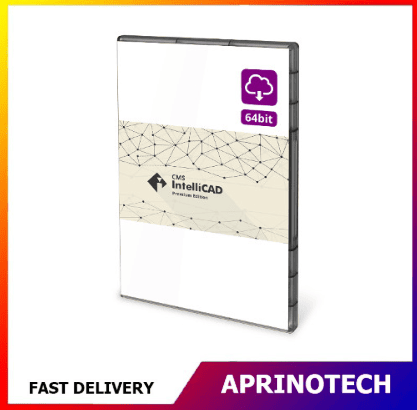

CMS IntelliCAD PE Easy Run
Rp14.428.798
CMS IntelliCAD PE Easy Run
CMS IntelliCAD PE Easy Run is a professional and cost-effective 2D CAD software solution designed for users who need to create, edit, view, and manage technical drawings with a familiar CAD environment.
Built for drafting and design workflows, CMS IntelliCAD PE Easy Run can be suitable for architects, engineers, designers, technicians, students, educators, contractors, and other professionals who work with CAD drawings.
📐 Professional 2D CAD Drafting
CMS IntelliCAD PE Easy Run provides tools for creating accurate technical drawings and design documentation.
Users can work with common CAD elements such as:
- Lines
- Polylines
- Circles
- Arcs
- Ellipses
- Text
- Dimensions
- Hatches
- Blocks
- Layers
These tools can support a wide range of technical drafting requirements.
🏗️ Architectural Drawing
Architects and architectural designers can use CMS IntelliCAD PE for creating and modifying technical drawings.
Potential applications include:
- Floor plans
- Building layouts
- Site plans
- Interior layouts
- Construction drawings
- Architectural details
- Dimensioned drawings
CAD-based drafting can help maintain accuracy and consistency throughout the design process.
⚙️ Engineering Design
CMS IntelliCAD PE can also support engineering drafting workflows.
Potential applications include:
- Mechanical drawings
- Electrical layouts
- Technical diagrams
- Engineering details
- Manufacturing drawings
- Equipment layouts
- Design documentation
The software provides a practical environment for users who need precise 2D technical drawings.
🛠️ Construction & Technical Documentation
Construction professionals can use CAD software to prepare and review project documentation.
Typical applications include:
- Construction plans
- Floor layouts
- Structural details
- Installation drawings
- Site layouts
- Measurement drawings
- Project documentation
Accurate digital drawings can help teams communicate design information more efficiently.
📏 Precision Drafting Tools
Accuracy is an important requirement in technical CAD work.
CMS IntelliCAD provides drafting capabilities that allow users to create geometry using precise measurements and coordinates.
Precision-based drafting can be useful when producing:
- Dimensioned plans
- Engineering drawings
- Manufacturing layouts
- Architectural documentation
- Technical schematics
🗂️ Layer Management
Layers are an important part of organizing complex CAD drawings.
Users can separate drawing information into different layers, for example:
Walls → Doors → Windows → Dimensions → Electrical → Furniture
This approach makes drawings easier to manage, edit, and review.
📊 Dimensions & Annotations
Technical drawings often require clear dimensions and annotations.
CMS IntelliCAD PE can support documentation workflows involving:
- Linear dimensions
- Angular dimensions
- Radius dimensions
- Diameter dimensions
- Text annotations
- Leaders
- Drawing labels
These tools help communicate design specifications within a drawing.
🧱 Blocks & Reusable Components
Reusable CAD components can make repetitive drafting tasks more efficient.
Blocks can be used for commonly repeated elements such as:
- Doors
- Windows
- Furniture
- Electrical symbols
- Mechanical components
- Equipment
- Standard drawing elements
This can reduce repetitive drawing work and improve consistency.
🎨 Hatching & Drawing Presentation
Hatching can be used to represent materials, sections, and areas within technical drawings.
Users can apply hatch patterns to suitable drawing regions for purposes such as:
- Section drawings
- Material representation
- Architectural plans
- Mechanical sections
- Technical illustrations
This can make drawings easier to interpret.
📄 CAD File Compatibility
CMS IntelliCAD is designed around commonly used CAD drawing workflows and can work with industry-standard CAD file formats, including DWG and DXF, subject to the capabilities of the specific edition and version.
This can be useful for users who need to exchange drawings with clients, contractors, engineers, or other CAD applications.
Users should verify the exact supported file versions before purchasing.
🔄 Editing Existing CAD Drawings
CMS IntelliCAD PE is not limited to creating drawings from scratch.
Users can open existing CAD files and perform tasks such as:
- Editing geometry
- Updating dimensions
- Modifying annotations
- Adjusting layers
- Adding drawing elements
- Correcting design details
- Preparing files for printing
This can be useful when working with existing project documentation.
🖥️ Familiar CAD Environment
CMS IntelliCAD is designed to provide a familiar drafting environment for users who already understand traditional CAD workflows.
Users familiar with common CAD concepts such as:
- Layers
- Blocks
- Coordinates
- Object properties
- Dimensions
- Model space
- Paper space
- Drawing units
can transition more easily into the software.
📐 Coordinate-Based Design
CAD drafting often requires precise positioning of objects.
Users can work with coordinate-based geometry for applications where accurate placement is important.
This is useful for:
- Architectural layouts
- Engineering drawings
- Mechanical components
- Site plans
- Technical diagrams
- Construction documentation
🖨️ Printing & Plotting
Technical drawings often need to be converted into physical or digital documentation.
CMS IntelliCAD supports CAD plotting workflows for preparing drawings for output.
Users can configure aspects such as:
- Paper size
- Drawing scale
- Print area
- Orientation
- Line presentation
- Output settings
The exact plotting capabilities depend on the edition and version.
📋 Technical Drawing Workflow
A typical workflow can be:
Create Drawing → Organize Layers → Add Geometry → Add Dimensions → Annotate → Review → Save → Print / Export
This provides a structured approach to creating professional CAD documentation.
🏢 Business Applications
CMS IntelliCAD PE Easy Run can be useful for businesses that require CAD drafting without relying exclusively on high-cost CAD platforms.
Potential business applications include:
- Architectural offices
- Engineering firms
- Contractors
- Construction companies
- Manufacturing businesses
- Design studios
- Technical consultants
- Maintenance departments
🎓 Education & Training
CMS IntelliCAD can also be suitable for educational environments where students need to learn fundamental CAD concepts.
Potential applications include:
- CAD training
- Technical drawing classes
- Engineering education
- Architectural education
- Design courses
- Student projects
- Technical drafting exercises
Students can develop practical skills in creating and managing digital technical drawings.
👨💻 Freelancers & Independent Designers
Independent professionals often need reliable CAD tools for client projects.
CMS IntelliCAD PE Easy Run can support workflows involving:
- Client drawings
- Design revisions
- Technical documentation
- 2D drafting
- CAD file conversion
- Construction plans
- Engineering documentation
Its focused CAD functionality can be useful for users who primarily require 2D drafting capabilities.
🔧 Design Revision Workflow
Technical drawings frequently go through multiple revisions.
CMS IntelliCAD can be used to:
- Open an existing drawing.
- Review the design.
- Modify geometry.
- Update dimensions.
- Add or remove annotations.
- Adjust layers.
- Save the revised drawing.
- Prepare the final document for delivery.
This workflow can help maintain digital drawing documentation throughout a project.
📁 Digital CAD Documentation
Organizations can use CAD files as part of their long-term technical documentation.
CAD drawings can be maintained for:
- Building documentation
- Engineering projects
- Equipment layouts
- Construction records
- Manufacturing designs
- Maintenance documentation
Digital drawings are easier to revise and distribute than manually created technical drawings.
💡 Cost-Effective CAD Alternative
CMS IntelliCAD PE Easy Run can be an attractive option for users looking for professional CAD drafting functionality while maintaining a more cost-conscious software environment.
It can be suitable for organizations that primarily require:
- 2D drafting
- DWG/DXF workflows
- Technical documentation
- CAD editing
- Engineering drawing
- Architectural drafting
Users should compare the exact feature set and compatibility requirements with their existing CAD workflow before purchasing.
🎯 Who Is It For?
CMS IntelliCAD PE Easy Run is suitable for:
- Architects
- Civil Engineers
- Mechanical Engineers
- Electrical Engineers
- CAD Designers
- Drafting Technicians
- Construction Professionals
- Contractors
- Manufacturers
- Technical Consultants
- Freelancers
- Students
- Educators
💻 System & Installation Considerations
Before installation, users should verify the current system requirements for the specific CMS IntelliCAD PE version, including:
- Supported Windows version
- Processor requirements
- RAM requirements
- Available storage
- Graphics requirements
- Display resolution
- Activation requirements
- Supported CAD file formats
Users should also confirm whether the edition meets their required 2D drafting and file-compatibility requirements.
⚠️ Before Purchasing
Before purchasing CMS IntelliCAD PE Easy Run, verify:
- Product edition: PE Easy Run
- Intended CAD workflow
- Supported operating system
- Supported DWG/DXF versions
- 2D drafting capabilities
- Printing and plotting requirements
- License type
- Activation method
- Upgrade policy
- Technical support
This helps ensure compatibility with the user’s existing CAD environment.
🛒 Professional 2D CAD Software
CMS IntelliCAD PE Easy Run provides a practical CAD environment for creating, editing, viewing, and managing 2D technical drawings.
With tools for precision drafting, layers, dimensions, annotations, blocks, hatching, CAD file management, and plotting, the software can support a wide range of architectural, engineering, construction, manufacturing, and technical drafting workflows.
It can be a suitable choice for professionals, businesses, educators, students, and independent designers who need a cost-effective CAD solution for everyday technical drawing requirements.
For CMS IntelliCAD PE Easy Run and other professional CAD, engineering, design, productivity, and business software solutions, visit Aprinotech and explore the Software category.
You must be logged in to post a review.
Related products






















Reviews
There are no reviews yet