

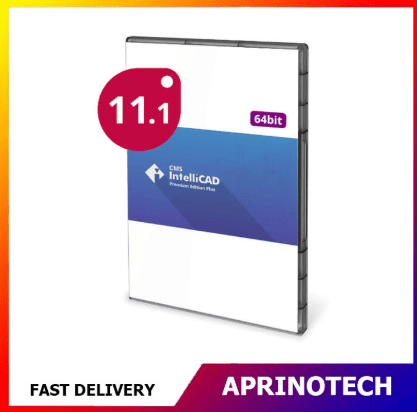

CMS IntelliCAD 11.1 PE Extended Download
Rp2.163.298
CMS IntelliCAD 11.1 PE Extended Download
CMS IntelliCAD 11.1 PE Extended Download is an Extended Download Service designed to provide a convenient backup option for users of CMS IntelliCAD 11.1 Premium Edition (PE).
The service helps protect access to the software installer by keeping a backup copy available for two years from the date of purchase. It is intended as a download service and does not include a software license.
💾 Extended Download Service
The Extended Download Service (EDS) provides an additional backup option for the CMS IntelliCAD installer.
According to the product information, the installer remains available through the user’s store profile for 2 years from the purchase date. This can be useful when the original installer is no longer available locally or when the software needs to be reinstalled.
A typical workflow is:
Purchase EDS → Access Installer → Download Backup Copy → Keep for Future Reinstallation
🛡️ Protect Your Software Investment
Keeping an installer backup can be important for users who rely on a specific CAD version for ongoing projects.
Extended Download can help users maintain access to the CMS IntelliCAD 11.1 PE installer when they need to:
- Reinstall the software
- Replace a computer
- Recover from a system failure
- Maintain an archived installer
- Restore a previous CAD environment
- Keep a backup copy for future use
📐 CMS IntelliCAD 11.1 PE
CMS IntelliCAD 11.1 PE is a professional CAD platform designed for engineers, architects, consultants, designers, and other professionals working with CAD drawings.
The 11.1 release includes improvements to drafting, dimensioning, blocks, tables, PDF publishing, and other CAD workflows.
🧰 CAD Drawing Compatibility
CMS IntelliCAD is designed to provide compatibility with common CAD workflows and supports native DWG files.
The CMS IntelliCAD 11.1 PE documentation highlights support for native DWG files, AutoCAD-compatible commands, LISP, ADS, VBA, MNU and SCR files, raster images, and other CAD technologies.
This makes the installer useful for professionals who need to maintain a specific CMS IntelliCAD environment for existing CAD projects.
🏗️ Architectural & Engineering Workflows
CMS IntelliCAD PE can support workflows involving:
- Architectural drawings
- Engineering plans
- Technical documentation
- Construction drawings
- Mechanical drafting
- Electrical layouts
- CAD documentation
- Design revisions
Maintaining access to the original installer can help users preserve their established CAD environment.
📊 Enhanced Dimensioning
CMS IntelliCAD 11.1 introduced productivity improvements for dimensioning.
The release includes features such as Quick Dimension, Center Mark, Center Line, and Adjust Spacing, which can help users create and organize dimensions more efficiently.
🧱 Block Management
The 11.1 release also improves block-related workflows.
Users can replace blocks with existing external references or other blocks and use Quick Block Save to save selected entities as a block more efficiently.
📋 Advanced Table Features
CMS IntelliCAD 11.1 includes improvements for working with tables and spreadsheet data.
The release provides additional capabilities for:
- Importing XLS and XLSX data
- Inserting blocks into table cells
- Managing table cell content
- Merging cells
- Editing table cells
- Managing table styles
These features can be useful for technical drawings containing schedules, specifications, and structured project information.
🖨️ Improved PDF Publishing
CMS IntelliCAD 11.1 includes improvements to the PDF publishing workflow.
Users can work with an improved interface for selecting PDF format options, add sheets more easily, and define custom paper sizes for PC3 printer configurations.
This can be useful when preparing CAD drawings for digital distribution and documentation.
🧩 BIM & 3D Capabilities
CMS IntelliCAD 11.1 also includes capabilities related to BIM and 3D workflows.
The product documentation highlights BIM file import, IFC and Revit underlay support, point-cloud attachments, AEC entities, 3D visualization, and other advanced CAD capabilities, with some features dependent on the specific edition.
📄 Why Keep an Extended Installer?
CAD projects can remain active for years, and users may need to reinstall the same software version to maintain compatibility with established workflows.
An archived installer can be useful when:
- A workstation is replaced
- Windows is reinstalled
- A system becomes corrupted
- A CAD workstation is upgraded
- A project requires the same software environment
- An older project needs to be reopened
Extended Download provides an additional period in which the installer can be retrieved.
🔄 Reinstallation Workflow
For users with a valid CMS IntelliCAD 11.1 PE license, the service can support a future reinstallation workflow:
Computer Replacement
↓
Download CMS IntelliCAD 11.1 PE Installer
↓
Install Software
↓
Activate Using Existing License
↓
Continue CAD Work
The product information notes that license deactivation is required before reinstalling the software, with instructions available through the provider’s licensing system.
👤 Intended for Existing License Holders
It is important to understand that CMS IntelliCAD 11.1 PE Extended Download is not a software license.
The product information specifically identifies the service as “Without License.” Its purpose is to provide extended access to the installer rather than provide authorization to use CMS IntelliCAD.
Users should therefore have an appropriate CMS IntelliCAD license separately.
🗄️ Backup & Software Archiving
Software installers can be considered part of an organization’s digital asset management strategy.
For businesses using CMS IntelliCAD for long-term projects, maintaining access to a specific installer can help with:
- CAD software archiving
- Project continuity
- Workstation recovery
- IT maintenance
- Software version management
- Disaster recovery planning
🏢 Business Applications
Extended Download can be particularly useful for organizations that maintain long-term CAD projects.
Potential users include:
- Architectural firms
- Engineering companies
- Construction companies
- Manufacturing businesses
- CAD service providers
- Technical consultants
- Design offices
- Educational institutions
🎓 Academic & Training Applications
Educational users may also benefit from maintaining access to a specific CMS IntelliCAD version for CAD training environments.
It can help institutions maintain consistent software installations across:
- CAD laboratories
- Training computers
- Engineering classrooms
- Architecture classrooms
- Student project workstations
💻 Windows CAD Environment
CMS IntelliCAD 11.1 PE is a Windows-based CAD application. Users should verify the supported Windows environment and installation requirements for the specific software release before reinstalling.
The extended download service provides access to the installer but does not change the system requirements of the software.
⚠️ Important Information Before Purchase
Before purchasing CMS IntelliCAD 11.1 PE Extended Download, users should understand:
- It is an Extended Download Service.
- The installer is available for 2 years from purchase.
- The product does not include a software license.
- The CMS IntelliCAD license must be obtained separately.
- License deactivation may be required before reinstallation.
- The service is intended to provide backup access to the installer.
- Users should retain their license information separately.
🎯 Who Is It For?
CMS IntelliCAD 11.1 PE Extended Download is suitable for existing CMS IntelliCAD users such as:
- Architects
- Civil Engineers
- Mechanical Engineers
- Electrical Engineers
- CAD Designers
- Drafting Technicians
- Construction Professionals
- Manufacturers
- Engineering Consultants
- CAD Training Centers
- Educational Institutions
- Businesses using CMS IntelliCAD
🛒 Extended Installer Backup for CMS IntelliCAD
CMS IntelliCAD 11.1 PE Extended Download provides an additional backup option for users who already have a valid CMS IntelliCAD 11.1 PE license.
With 2 years of installer availability, the service can help users maintain access to their software installer for future reinstallation, workstation replacement, system recovery, and long-term CAD software archiving.
Because this product is an Extended Download Service rather than a software license, customers should ensure that they already have the appropriate CMS IntelliCAD license before purchasing.
For CMS IntelliCAD 11.1 PE Extended Download and other professional CAD, engineering, design, productivity, and business software solutions, visit Aprinotech and explore the Software category.
You must be logged in to post a review.
Related products




















Reviews
There are no reviews yet