

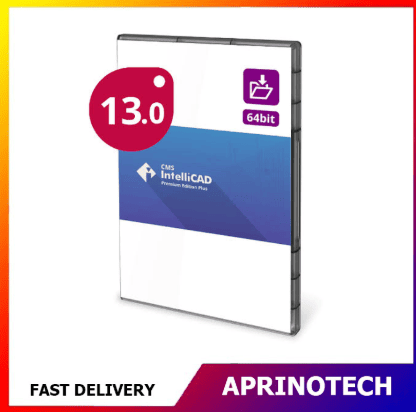


CMS IntelliCAD 13.1 PE+ Extended Download
Rp1.201.298
CMS IntelliCAD 13.1 PE+ Extended Download
CMS IntelliCAD 13.1 PE+ Extended Download is an Extended Download Service designed to provide a convenient backup option for users of CMS IntelliCAD 13.1 PE+.
The service provides extended access to a backup copy of the CMS IntelliCAD installer for two years from the date of purchase. It is designed to help users maintain access to their software installer for future reinstallation, system recovery, workstation replacement, and long-term CAD software management.
Important: This product is an Extended Download Service and does not include a software license. A valid CMS IntelliCAD 13.1 PE+ license is required separately.
💾 Extended Download Service
The Extended Download Service (EDS) is a backup service intended to protect users from losing access to their CMS IntelliCAD installer.
According to the official product listing, a backup copy of the software installer is kept on the provider’s servers for two years from the purchase date. The installer download link is made available through the Downloads tab of the user’s Store Profile.
This can be useful when users need to:
- Reinstall CMS IntelliCAD
- Replace an existing computer
- Reinstall Windows
- Recover from a system failure
- Upgrade a CAD workstation
- Maintain an installer backup
- Restore a previous CAD environment
🛡️ Protect Your CAD Software Investment
Professional CAD projects may remain active for several years, making access to the appropriate software installer an important part of software management.
An Extended Download Service can provide an additional backup option when the original installer is no longer stored locally.
It can be useful in situations such as:
- Computer replacement
- Hardware failure
- SSD replacement
- Operating system reinstallation
- Workstation upgrades
- System recovery
- Long-term project maintenance
📐 CMS IntelliCAD 13.1 PE+
CMS IntelliCAD 13.1 PE+ is a professional CAD edition intended for users who require advanced drafting and design capabilities.
The PE+ environment can support professional CAD workflows involving:
- 2D technical drafting
- 3D design
- Architectural drawings
- Engineering documentation
- Mechanical design
- Construction drawings
- Technical illustrations
- CAD project revisions
The Extended Download Service provides access to the installer for this specific software edition; it does not add new CAD functionality to the software itself.
🏗️ Architectural & Engineering Workflows
CMS IntelliCAD PE+ can be used in a variety of professional drafting and design environments.
Potential applications include:
- Architectural plans
- Engineering drawings
- Construction documentation
- Mechanical layouts
- Technical diagrams
- Manufacturing drawings
- Design documentation
- CAD project development
Maintaining access to the original installer can help users restore their established CAD environment when necessary.
🧱 2D & 3D CAD Workflows
The PE+ edition is designed for users who require more advanced CAD capabilities than basic 2D drafting.
Typical workflows can include:
2D Drafting → Dimensioning → Annotation → 3D Modeling → Review → Documentation
This can support professionals who work with both technical drawings and more advanced design projects.
📁 CAD File Management
CMS IntelliCAD is designed around common CAD workflows and provides support for widely used CAD file formats.
Users can work with CAD projects involving tasks such as:
- Opening existing drawings
- Editing geometry
- Modifying dimensions
- Updating annotations
- Managing layers
- Working with blocks
- Revising technical documentation
- Preparing drawings for output
The Extended Download Service ensures that users have an additional method of retrieving the installer when needed.
🔄 Future Reinstallation
One of the primary purposes of an Extended Download Service is to support future reinstallation.
A typical workflow can be:
Existing CMS IntelliCAD 13.1 PE+ License
↓
Access Extended Download
↓
Download Installer
↓
Install CMS IntelliCAD 13.1 PE+
↓
Activate Existing License
↓
Continue CAD Projects
CMS IntelliCAD states that license deactivation is required before reinstalling its software, with the applicable instructions provided by the vendor.
🗄️ CAD Software Archiving
Maintaining access to a specific CAD installer can be valuable for organizations that need to preserve a consistent software environment.
Software archiving can help with:
- Project continuity
- CAD workstation recovery
- IT maintenance
- Software version management
- Long-term project support
- Historical project access
- Workstation replacement
This can be particularly useful for architectural and engineering projects that remain active over extended periods.
🏢 Business Applications
CMS IntelliCAD 13.1 PE+ Extended Download can be useful for businesses that rely on CMS IntelliCAD for professional design and drafting.
Potential users include:
- Architectural firms
- Engineering companies
- Construction businesses
- Manufacturing companies
- CAD service providers
- Design studios
- Technical consultants
- Contractors
- Educational institutions
The installer backup provides an additional recovery option for organizations maintaining CAD workstations.
🎓 Education & Training
Educational institutions using CMS IntelliCAD for CAD training can also benefit from maintaining access to a specific installer.
Potential applications include:
- CAD laboratories
- Engineering classes
- Architecture classes
- Technical drawing courses
- Student projects
- CAD training programs
Maintaining access to the appropriate installer can help institutions restore software on training computers when necessary.
🔧 Workstation Recovery
Computer systems can eventually require replacement, repair, or operating system reinstallation.
The Extended Download Service can provide access to the CMS IntelliCAD 13.1 PE+ installer during the two-year availability period.
Possible recovery situations include:
- Hard drive failure
- SSD replacement
- Windows reinstallation
- Computer replacement
- Hardware upgrades
- System corruption
- CAD workstation migration
👤 For Existing License Holders
It is important to understand that CMS IntelliCAD 13.1 PE+ Extended Download is not a software license.
The official listing identifies the product as:
- Extended Download
- 2 years availability
- Without License
The service is intended to provide extended installer access rather than authorization to use CMS IntelliCAD.
Users should therefore already have, or purchase separately, the appropriate CMS IntelliCAD 13.1 PE+ license.
⏳ Two-Year Installer Availability
The backup installer is maintained for two years from the date of purchase.
This provides users with an extended period in which they can retrieve the installer if a future reinstallation becomes necessary.
For long-term CAD projects, this can provide additional peace of mind when managing software installations.
📥 Convenient Installer Access
The installer download link is made available through the Downloads tab in the user’s Store Profile.
This provides a centralized method for retrieving the CMS IntelliCAD 13.1 PE+ installer instead of relying entirely on a locally stored copy.
Users may also maintain their own installer backup where permitted and appropriate.
⚠️ Important Information Before Purchase
Before purchasing CMS IntelliCAD 13.1 PE+ Extended Download, users should understand:
- Product type: Extended Download Service
- Software: CMS IntelliCAD 13.1 PE+
- Installer availability: 2 years
- License included: No
- Installer access: Through the user’s Store Profile
- Purpose: Installer backup and future reinstallation
- License deactivation: Required before reinstalling the software according to CMS IntelliCAD’s instructions
The Extended Download Service should not be confused with purchasing a new CMS IntelliCAD license.
🎯 Who Is It For?
CMS IntelliCAD 13.1 PE+ Extended Download is suitable for existing CMS IntelliCAD users such as:
- Architects
- Civil Engineers
- Mechanical Engineers
- Electrical Engineers
- CAD Designers
- Drafting Technicians
- Construction Professionals
- Manufacturers
- Technical Consultants
- Contractors
- CAD Training Centers
- Educational Institutions
- Businesses using CMS IntelliCAD
💻 Installation Considerations
Before reinstalling CMS IntelliCAD 13.1 PE+, users should verify:
- Supported Windows version
- Processor requirements
- RAM requirements
- Available storage
- Graphics requirements
- Existing license status
- Activation requirements
- CAD file compatibility
- License deactivation requirements
Users should also keep their license information and account credentials available separately from the installer backup.
🛒 Extended Installer Backup for CMS IntelliCAD 13.1 PE+
CMS IntelliCAD 13.1 PE+ Extended Download provides an additional backup solution for users who already have a valid CMS IntelliCAD 13.1 PE+ license.
With two years of installer availability, the service can help users maintain access to the software installer when a computer is replaced, Windows is reinstalled, hardware is upgraded, or a CAD workstation requires recovery.
Because this product does not include a software license, customers should ensure that they have the appropriate CMS IntelliCAD 13.1 PE+ license before purchasing the Extended Download Service.
For CMS IntelliCAD 13.1 PE+ Extended Download and other professional CAD, engineering, design, productivity, and business software solutions, visit Aprinotech and explore the Software category.
You must be logged in to post a review.
Related products
























Reviews
There are no reviews yet