

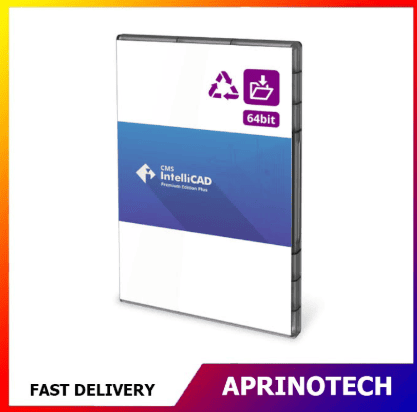
CMS IntelliCAD 15.0 PE
Rp7.213.798
CMS IntelliCAD 15.0 PE
CMS IntelliCAD 15.0 PE is a professional 2D and 3D CAD software solution designed for architects, engineers, designers, technicians, contractors, educators, and businesses that need a reliable environment for creating, editing, viewing, and managing CAD drawings.
The software provides native DWG support up to DWG 2026, professional drafting tools, 2D and 3D design capabilities, raster image support, BIM attachments, PDF export, realistic rendering, CAD customization, and programming support.
📐 Professional CAD Drafting
CMS IntelliCAD 15.0 PE provides a comprehensive environment for creating accurate technical drawings and design documentation.
Users can work with common CAD elements such as:
- Lines
- Polylines
- Arcs
- Circles
- Ellipses
- Hatches
- Text
- Dimensions
- Blocks
- Layers
- 2D and 3D objects
These tools can support everyday drafting requirements across architecture, engineering, construction, manufacturing, and technical design.
🏗️ Architectural Design
CMS IntelliCAD 15.0 PE can be used for a wide range of architectural drafting tasks.
Potential applications include:
- Floor plans
- Building layouts
- Site plans
- Interior layouts
- Construction drawings
- Architectural details
- Technical documentation
The software also supports BIM attachments for RVT and RFA files, allowing users to incorporate supported Revit-based information into their CAD workflows.
⚙️ Engineering & Technical Design
Engineers and technical professionals can use CMS IntelliCAD for creating and modifying precise CAD drawings.
Potential applications include:
- Mechanical drawings
- Electrical layouts
- Engineering diagrams
- Manufacturing documentation
- Equipment layouts
- Technical schematics
- Design revisions
Its combination of drafting, visualization, file compatibility, and customization capabilities makes it suitable for professional CAD environments.
📁 DWG 2026 Support
One of the key features of CMS IntelliCAD 15.0 PE is support for .DWG 2026.
The software also supports a broad range of CAD-related formats and workflows, including DWG, DXF, DWF, DGN, PDF, image underlays, SAT, DAE, and SVG, with BIM capabilities through IFC and RVT/RFA workflows.
This can make it easier to exchange drawings with clients, contractors, engineers, and other CAD users.
🧱 2D & 3D Design
CMS IntelliCAD 15.0 PE provides full 2D and 3D tools for professional CAD workflows.
Users can create and modify:
- 2D technical drawings
- 3D surfaces
- 3D design elements
- Architectural documentation
- Engineering layouts
- Technical models
For users who specifically require 3D solid modeling, CMS IntelliCAD recommends the PE Plus edition.
🖼️ Raster Image Support
CMS IntelliCAD 15.0 PE supports raster image workflows, allowing users to incorporate image-based information into CAD drawings.
Raster images can be useful for:
- Site plans
- Reference drawings
- Scanned documents
- Maps
- Design references
- Technical illustrations
This provides additional flexibility when combining CAD geometry with external visual information.
🗺️ Geographic Map Location & Images
The software includes geographic map location and image capabilities.
These features can be useful for projects involving:
- Site planning
- Architecture
- Civil engineering
- Geographic references
- Location-based design
- Infrastructure planning
📄 2D & 3D PDF Export
CMS IntelliCAD 15.0 PE supports 2D and 3D PDF export, allowing CAD designs to be shared in a widely accessible document format.
PDF output can be useful for:
- Client review
- Project documentation
- Technical reports
- Design approvals
- Digital distribution
- Project archiving
✍️ Digital Signatures
CMS IntelliCAD 15.0 PE includes support for digital signatures.
This can help organizations incorporate document authentication and approval processes into supported CAD workflows.
🎨 Visual Styles & Materials
CMS IntelliCAD 15.0 PE provides visual styles and materials to improve the presentation of CAD designs.
Users can work with:
- Visual styles
- Materials
- Realistic rendering
- Rendering modes
- 3D visualization
These capabilities can be useful when presenting designs to clients, project teams, or stakeholders.
🤖 AI Advanced Rendering
CMS IntelliCAD 15.0 PE also lists an AI Advanced Rendering add-on.
This provides an additional rendering option for users who want enhanced visualization capabilities. The AI rendering feature is offered as an add-on rather than being the core CAD license functionality.
🧩 LISP & CAD Customization
CMS IntelliCAD provides extensive customization capabilities for professional CAD environments.
The PE edition supports technologies including:
- LISP
- IRX/DRX
- SDS
- Microsoft VBA 7.1
- .NET API
- IcAPI
These features can be useful for automating repetitive CAD tasks, developing custom commands, and adapting the software to established CAD workflows.
💻 64-Bit Architecture
CMS IntelliCAD 15.0 PE uses 64-bit architecture and supports multi-core processing.
This makes the software suitable for modern Windows workstations used for professional CAD drafting and design.
⚡ Multi-Core Support
Multi-core support can help the software take advantage of modern processors during supported operations.
This is particularly useful for users working with larger drawings and more demanding CAD workflows.
Actual performance will depend on the computer’s processor, graphics hardware, memory, drawing complexity, and specific operations being performed.
🖱️ Dynamic Input
CMS IntelliCAD 15.0 PE includes Dynamic Input, providing interactive input options while creating and modifying CAD geometry.
Dynamic input can help users work more efficiently with dimensions, coordinates, and drawing commands.
✏️ Sketch Modes & Selection Grips
The software includes sketch modes and selection grips to make object creation and editing more interactive.
These features can simplify common CAD operations such as:
- Moving objects
- Stretching geometry
- Adjusting components
- Editing shapes
- Modifying drawing elements
🔄 ETRANSMIT Support
CMS IntelliCAD 15.0 PE supports etransmit, which can help package CAD-related project files for easier distribution.
This can be useful when drawings depend on external resources such as referenced files or other supporting project data.
📐 Precision Drafting
Accuracy is essential for professional CAD work.
CMS IntelliCAD provides tools for working with precise coordinates, dimensions, object properties, and geometric relationships.
This can be useful for:
- Architectural drawings
- Engineering plans
- Manufacturing drawings
- Construction documents
- Technical layouts
- Mechanical designs
🗂️ Layer Management
Layers allow users to organize complex CAD drawings into logical categories.
For example:
Walls → Doors → Windows → Dimensions → Electrical → Furniture
Separating information into layers can make large drawings easier to manage, review, and modify.
🧱 Blocks & Reusable Elements
Blocks can help reduce repetitive drafting work by allowing frequently used objects to be reused.
Examples include:
- Doors
- Windows
- Furniture
- Electrical symbols
- Mechanical components
- Equipment
- Standard drawing elements
Reusable components can improve both productivity and drawing consistency.
📏 Dimensions & Annotations
Technical drawings require clear dimensions and annotations.
CMS IntelliCAD provides tools for creating and managing drawing information such as:
- Dimensions
- Text
- Leaders
- Labels
- Annotations
- Technical notes
These tools help communicate design specifications clearly.
🏢 Construction & Manufacturing Applications
CMS IntelliCAD 15.0 PE can support CAD workflows in:
- Construction
- Manufacturing
- Architecture
- Engineering
- Product design
- Technical consulting
- Industrial design
Users can create, edit, review, and export CAD documentation throughout different stages of a project.
🎓 Education & Training
CMS IntelliCAD 15.0 PE can also be used in educational environments.
Potential applications include:
- CAD courses
- Engineering classes
- Architecture classes
- Technical drawing
- Student projects
- CAD training laboratories
Its familiar CAD workflow can provide students with practical experience in creating and managing digital technical drawings.
👨💻 Freelancers & Independent Designers
Independent designers and consultants can use CMS IntelliCAD to support client projects without requiring a separate application for every CAD task.
Potential applications include:
- Architectural drafting
- Engineering drawings
- Technical documentation
- CAD revisions
- Client deliverables
- Design presentations
🔄 CAD Project Workflow
A typical workflow can be:
Create Drawing → Organize Layers → Add Geometry → Dimension → Annotate → Review → Export → Deliver
CMS IntelliCAD 15.0 PE provides tools across these stages, helping users manage CAD work from initial drafting through final documentation.
🔐 Perpetual Digital License
CMS IntelliCAD 15.0 PE is offered as a perpetual digital license.
The official store identifies the standard PE edition as a single-user perpetual standalone license with a multilingual interface and English as the default language. It also provides flexible self-service license transfer.
A perpetual license can be attractive for users who prefer long-term ownership of a specific software version rather than a recurring annual subscription.
👤 Single User License
The CMS IntelliCAD 15.0 PE standard license is intended for a single user.
This makes it suitable for:
- Individual professionals
- Freelancers
- Engineers
- Architects
- Designers
- Consultants
- Students
- Small businesses
Organizations requiring multiple simultaneous users should evaluate the available network or multi-user licensing options.
🔄 Flexible License Transfer
CMS IntelliCAD 15.0 PE supports self-service license transfer, with no stated limit on transfers according to the official product listing.
This can be useful when replacing a computer or moving the software to another workstation, subject to the applicable licensing procedures.
🌐 Multi-Language Interface
CMS IntelliCAD 15.0 PE provides a multi-language interface, with English as the default language.
This can make the software suitable for international users and organizations working across different regions.
🖥️ Windows CAD Solution
CMS IntelliCAD is designed for Microsoft Windows operating systems.
The current product information identifies support for modern Windows environments, including Windows 11 compatibility for the CMS IntelliCAD product family.
Users should verify the latest system requirements before installation, particularly when deploying the software on specialized CAD workstations.
⚠️ Before Purchasing
Before purchasing CMS IntelliCAD 15.0 PE, verify:
- Product: CMS IntelliCAD 15.0 PE
- License model: Perpetual
- User entitlement: Single User
- Platform: Windows
- DWG compatibility requirements
- 2D and 3D requirements
- Whether 3D solids are required
- BIM requirements
- Rendering requirements
- Hardware specifications
- License transfer requirements
If advanced 3D solid modeling, BIM import, STEP/IGES import and export, and AEC entities are essential, consider comparing the standard PE edition with CMS IntelliCAD PE Plus before purchasing.
🎯 Who Is It For?
CMS IntelliCAD 15.0 PE is suitable for:
- Architects
- Civil Engineers
- Mechanical Engineers
- Electrical Engineers
- CAD Designers
- Drafting Technicians
- Construction Professionals
- Manufacturers
- Technical Consultants
- Freelancers
- Educators
- Students
- Small Businesses
🛒 Professional CAD Software for Windows
CMS IntelliCAD 15.0 PE is a professional CAD solution combining DWG 2026 support, 2D and 3D design tools, raster image support, BIM attachments, PDF export, realistic rendering, digital signatures, LISP, VBA, .NET API, multi-core processing, and flexible license management.
Its perpetual single-user standalone license makes it suitable for professionals and businesses that prefer a long-term CAD solution without an annual subscription.
For CMS IntelliCAD 15.0 PE and other professional CAD, engineering, design, productivity, and business software solutions, visit Aprinotech and explore the Software category.
You must be logged in to post a review.
Related products

























Reviews
There are no reviews yet