

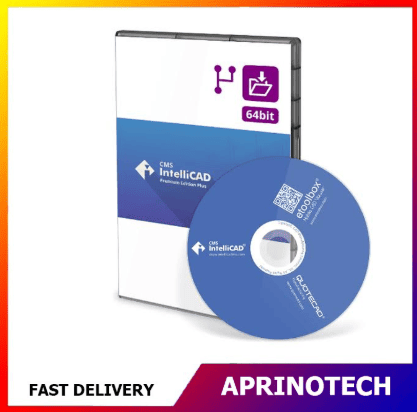

CMS IntelliCAD 15.0 PE Plus Network – 10 Concurrent Users
Rp100.527.798
CMS IntelliCAD 15.0 PE Plus Network – 10 Concurrent Users
CMS IntelliCAD 15.0 PE Plus Network – 10 Concurrent Users is a professional network-based CAD solution designed for organizations that need advanced 2D and 3D design capabilities across multiple workstations.
The product provides a perpetual network license with 10 floating users, allowing up to 10 users to access the licensed CAD environment concurrently. It includes DWG 2026 support, 3D ACIS solid modeling, BIM import, STEP and IGES import/export, AEC entities, PDF export, realistic rendering, CAD customization, and multi-core support.
🌐 Network CAD Licensing
CMS IntelliCAD 15.0 PE Plus Network is designed for organizations with multiple CAD users who need to share a pool of licenses.
The 10 Concurrent Users licensing model provides:
- 10 floating license seats
- Network-based licensing
- Perpetual license
- Shared access across supported workstations
- Flexible license allocation
- License borrowing/roaming capability
With floating licensing, users can access available seats as needed rather than assigning a permanent license to every individual workstation.
👥 10 Concurrent Users
The license supports up to 10 concurrent users.
For example, an organization may have more than 10 employees who use CMS IntelliCAD at different times, while the network license controls simultaneous access to the available 10 seats.
This model can be useful for:
- Engineering departments
- Architecture firms
- Construction companies
- Manufacturing companies
- Design teams
- Technical offices
- Educational institutions
- CAD service providers
The number of users who can actively use the software at the same time is limited by the available concurrent seats.
🔐 Perpetual Network License
CMS IntelliCAD 15.0 PE Plus Network is offered as a perpetual license.
Unlike a yearly subscription, a perpetual license is intended for long-term use of the licensed software version without requiring an annual software subscription.
This can make the network edition attractive to organizations that prefer a long-term CAD investment.
📁 DWG 2026 Support
CMS IntelliCAD 15.0 PE Plus Network supports DWG 2026, making it suitable for modern DWG-based CAD workflows.
Organizations can use the software for creating, editing, reviewing, and managing CAD drawings across multiple departments and workstations.
DWG compatibility can be particularly useful when collaborating with:
- Architects
- Engineers
- Contractors
- Manufacturers
- Consultants
- CAD service providers
📐 Full 2D & 3D CAD Tools
The PE Plus Network edition provides a comprehensive CAD environment for professional design and documentation.
Users can create and edit:
- 2D technical drawings
- 3D models
- Engineering designs
- Architectural layouts
- Construction drawings
- Mechanical components
- Manufacturing documentation
- Technical illustrations
The software combines traditional drafting tools with advanced 3D modeling capabilities.
🧱 3D ACIS Solid Modeling
CMS IntelliCAD 15.0 PE Plus includes 3D ACIS solid modeling.
This capability allows professionals to create and modify solid-based 3D models for applications such as:
- Mechanical engineering
- Product design
- Machine components
- Industrial equipment
- Manufacturing
- Engineering visualization
- Architectural modeling
The 3D solid environment makes PE Plus particularly suitable for organizations working with detailed 3D CAD projects.
🏗️ BIM Import
The software supports BIM import, including IFC and RVT workflows.
This provides additional flexibility for architecture, engineering, and construction teams working with BIM information.
Potential applications include:
- Building design
- BIM coordination
- Architectural documentation
- Construction planning
- Engineering coordination
- Design review
🏢 AEC Entities
CMS IntelliCAD 15.0 PE Plus Network supports AEC entities such as:
- Walls
- Windows
- Doors
- Openings
- Stairs
- Railings
- Slabs
These specialized objects can help architectural and construction teams work more efficiently with building-related designs.
⚙️ STEP & IGES Import/Export
The software supports STEP and IGES import and export.
These formats are widely used for exchanging engineering and mechanical 3D models between different CAD applications.
This can benefit organizations involved in:
- Mechanical engineering
- Manufacturing
- Product development
- Industrial design
- Engineering collaboration
- 3D model exchange
🏭 Manufacturing & Engineering
CMS IntelliCAD 15.0 PE Plus Network is well suited for organizations that require advanced engineering and manufacturing CAD workflows.
Potential applications include:
- Machine-part design
- Product development
- Mechanical components
- Manufacturing drawings
- Engineering documentation
- 3D modeling
- Technical visualization
The shared network license can make advanced CAD capabilities accessible to multiple members of an engineering or design team.
📄 2D & 3D PDF Export
CMS IntelliCAD 15.0 PE Plus Network supports 2D and 3D PDF export.
PDF output can be used for:
- Client presentations
- Design reviews
- Technical documentation
- Project submissions
- Manufacturing documentation
- Project archiving
This makes CAD information easier to distribute to people who do not have CAD software installed.
🎨 Visual Styles & Materials
The software provides visual styles and materials for improved CAD visualization.
These capabilities can be useful for:
- Design presentations
- 3D model reviews
- Client demonstrations
- Engineering discussions
- Concept visualization
🖥️ Realistic Rendering
CMS IntelliCAD 15.0 PE Plus Network includes realistic rendering capabilities.
Rendering can help transform technical models into more detailed visual presentations for clients, management, engineers, and project teams.
🤖 AI Advanced Rendering
The product also supports AI Advanced Rendering.
This feature requires a Google AI Studio API key and can provide an additional option for users who need enhanced AI-assisted visualization.
🖼️ Raster Image Support
CMS IntelliCAD 15.0 PE Plus Network supports raster images within CAD workflows.
Raster references can be useful for:
- Scanned drawings
- Site plans
- Maps
- Technical references
- Background images
- Existing documentation
🗺️ Geographic Map Location & Images
The software includes geographic map location and image capabilities.
These features can support:
- Site planning
- Civil engineering
- Architecture
- Infrastructure projects
- Geographic references
- Location-based CAD projects
✍️ Digital Signatures
CMS IntelliCAD 15.0 PE Plus Network supports digital signatures.
This can provide an additional capability for organizations that need to authenticate CAD documents and incorporate document approval workflows.
🧩 LISP & CAD Customization
The software supports several programming and customization technologies, including:
- LISP
- IRX/DRX
- SDS
- Microsoft VBA 7.1
- .NET API
These capabilities can help organizations automate repetitive CAD tasks and develop customized CAD workflows.
🔌 Microsoft VBA & .NET API
Support for Microsoft VBA 7.1 and .NET API provides additional options for CAD automation and development.
This can be particularly useful for companies that have established internal CAD standards or custom applications.
📤 ETRANSMIT Support
CMS IntelliCAD PE Plus Network supports etransmit, allowing users to prepare CAD projects and associated resources for distribution.
This can simplify collaboration between:
- Engineering teams
- Architects
- Contractors
- Consultants
- Clients
- Manufacturing departments
📝 Text Explode & Gradient Hatch
The software provides additional drafting functionality such as:
- Text explode
- Gradient hatch
- Sketch modes
- Selection grips
- Dynamic input
These tools can improve flexibility during drawing creation and editing.
⚡ 64-Bit Architecture
CMS IntelliCAD 15.0 PE Plus Network uses 64-bit architecture, making it suitable for modern professional CAD workstations.
Organizations can deploy the software across compatible Windows 64-bit client computers.
🚀 Multi-Core Support
The software supports multi-core processing, allowing supported operations to take advantage of modern multi-core processors.
Actual performance will depend on:
- CPU
- RAM
- Graphics hardware
- Drawing complexity
- 3D model size
- Specific CAD operations
🔄 License Borrowing & Roaming
The CMS IntelliCAD network licensing system supports license borrowing/roaming, allowing a user to check out a license seat for up to 30 days.
This can be useful for employees who need to work temporarily away from the organization’s normal network environment.
For example, an engineer may borrow a license before working at a customer location or while traveling.
🔁 Flexible License Transfer
CMS IntelliCAD provides self-service license transfer with no stated limit on transfers.
This can provide additional flexibility when managing network CAD deployments and changing hardware or infrastructure.
🖥️ Network Deployment
CMS IntelliCAD PE Plus Network is designed for deployment across multiple Windows client workstations.
A typical network configuration consists of:
License Server → Network License Manager → Client Workstations → CMS IntelliCAD
The license server manages available concurrent seats while users access the software from their individual workstations.
🏢 Centralized CAD Management
A network license can simplify CAD software management for organizations.
Instead of purchasing and managing a separate standalone license for every workstation, the organization can maintain a shared pool of licenses.
This can make it easier for IT administrators to:
- Manage CAD licenses
- Monitor concurrent usage
- Deploy software to multiple users
- Allocate licenses according to department needs
- Manage workstation changes
👥 Ideal for CAD Teams
The 10-concurrent-user configuration can be particularly useful for organizations with a larger CAD team.
Potential users include:
- Architects
- Civil engineers
- Mechanical engineers
- Electrical engineers
- CAD designers
- Drafting technicians
- Project managers
- Manufacturing engineers
- Construction professionals
The shared license pool allows different users to access the software according to availability.
🏗️ Architecture & Construction
For architecture and construction companies, CMS IntelliCAD PE Plus Network can support:
- Floor plans
- Building designs
- Site plans
- Construction details
- AEC entities
- BIM references
- 3D visualization
- Technical documentation
The network licensing model can be particularly useful when many employees need CAD access throughout the working day.
🏭 Manufacturing & Industrial Design
Manufacturing companies can use the software for:
- Mechanical components
- Product design
- 3D solid modeling
- Engineering drawings
- Manufacturing documentation
- STEP/IGES workflows
- Technical visualization
The combination of 3D ACIS solids and engineering file compatibility makes the PE Plus edition suitable for advanced industrial CAD workflows.
🎓 Education & Training
The network edition can also be useful for universities, colleges, and CAD training centers.
A shared license pool can allow multiple students or instructors to access CAD workstations while controlling the maximum number of simultaneous users.
Potential applications include:
- Engineering laboratories
- Architecture laboratories
- CAD training centers
- Mechanical design courses
- Technical drawing classes
- Student design projects
🆚 Network vs Standalone Licensing
The main advantage of CMS IntelliCAD 15.0 PE Plus Network – 10 Concurrent Users is its shared licensing model.
A standalone license is assigned to an individual user or workstation, while a network license provides a pool of concurrent seats.
For an organization with many occasional CAD users, a floating network license can be more flexible because users share the available seats rather than requiring an individual license for every employee.
⚠️ Before Purchasing
Before purchasing CMS IntelliCAD 15.0 PE Plus Network – 10 Concurrent Users, organizations should verify:
- Number of required concurrent users
- Windows 64-bit compatibility
- Network infrastructure
- License server requirements
- Client workstation requirements
- DWG compatibility requirements
- 3D modeling requirements
- BIM requirements
- STEP/IGES requirements
- License borrowing requirements
- CAD deployment strategy
The 10 Concurrent Users license means up to 10 users can use the licensed software simultaneously; it does not necessarily mean the software is limited to only 10 named employees.
🎯 Who Is It For?
CMS IntelliCAD 15.0 PE Plus Network – 10 Concurrent Users is suitable for:
- Architecture firms
- Engineering companies
- Construction companies
- Manufacturing businesses
- Industrial design teams
- CAD service providers
- Technical consultancies
- Universities
- Training centers
- Large CAD departments
🛒 Professional Network CAD Solution
CMS IntelliCAD 15.0 PE Plus Network – 10 Concurrent Users provides organizations with a powerful combination of advanced 2D and 3D CAD, 3D ACIS solids, DWG 2026 support, BIM import, STEP/IGES interoperability, AEC entities, realistic rendering, PDF export, CAD customization, and centralized floating licensing.
With a perpetual 10-floating-user license, organizations can provide advanced CAD capabilities to multiple team members while sharing a controlled pool of concurrent licenses. The additional license borrowing/roaming capability of up to 30 days can also provide flexibility for users working outside the normal office network.
For CMS IntelliCAD 15.0 PE Plus Network – 10 Concurrent Users and other professional CAD, engineering, design, productivity, and business software solutions, visit Aprinotech and explore the Software category.
You must be logged in to post a review.
Related products





















Reviews
There are no reviews yet