


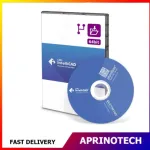

DevExpress Universal
Rp53.102.400
DevExpress Universal
DevExpress Universal is a comprehensive software development subscription designed for developers and development teams who need a complete collection of professional UI controls, reporting tools, dashboards, data visualization components, and application development libraries.
It provides a broad set of tools for building modern Windows, web, desktop, mobile, reporting, and business applications using popular Microsoft development technologies. DevExpress Universal is particularly suitable for organizations that need professional-grade components to accelerate application development and create polished user interfaces without building complex controls from scratch.
💻 Complete Developer Toolset
DevExpress Universal brings together a large collection of development components in a single solution.
Developers can use the product to build:
- Business applications
- Enterprise applications
- Desktop software
- Web applications
- Data-driven applications
- Reporting systems
- Analytics dashboards
- Administrative applications
- Internal business tools
- Customer-facing applications
The extensive component library can help development teams reduce the amount of time required to design, implement, test, and maintain common application functionality.
🖥️ Desktop Application Development
DevExpress provides professional UI components for Windows desktop development.
Developers can create applications with sophisticated interfaces containing:
- Data grids
- Editors
- Navigation controls
- Ribbon interfaces
- Toolbars
- Scheduling components
- Charts
- Pivot tables
- Tree views
- Property editors
- Layout controls
These components can help developers create business applications with a consistent and professional user experience.
🌐 Web Application Development
DevExpress Universal includes tools for creating modern web applications and responsive user interfaces.
Developers can use advanced components for:
- Data management
- Forms
- Navigation
- Dashboards
- Charts
- Grids
- Scheduling
- Reporting
- Data visualization
The available web components can help development teams build feature-rich applications without having to implement every UI element manually.
📊 Data Grid Components
Data grids are an important part of many business applications, and DevExpress provides powerful grid functionality.
Developers can create data-intensive interfaces with capabilities such as:
- Sorting
- Filtering
- Grouping
- Searching
- Editing
- Pagination
- Data summaries
- Column customization
- Master-detail views
These features are useful for applications that need to display and manage large amounts of business data.
📈 Data Visualization
DevExpress Universal provides a wide range of visualization tools for turning application data into understandable visual information.
Developers can integrate:
- Charts
- Graphs
- Gauges
- Pivot tables
- Data summaries
- Analytical views
- Interactive visualizations
These capabilities are useful for applications involving business intelligence, performance monitoring, financial analysis, sales reporting, and operational analytics.
📋 Reporting
DevExpress includes professional reporting functionality for creating and displaying business reports.
Developers can build reports containing:
- Tables
- Charts
- Images
- Grouped data
- Calculated fields
- Parameters
- Summaries
- Headers and footers
- Page layouts
Reporting tools can be used to create invoices, financial reports, operational reports, management reports, and other business documents.
📊 Dashboard Development
DevExpress provides dashboard components that allow developers to build interactive data dashboards.
Dashboards can combine multiple types of information into a single interface, helping users monitor business performance and analyze important metrics.
Potential dashboard elements include:
- Charts
- Grids
- Pivot tables
- Gauges
- Filters
- KPI indicators
- Data summaries
This can be useful for management systems, ERP applications, CRM platforms, financial applications, and internal business analytics.
📅 Scheduler Components
DevExpress includes scheduling controls for applications that need calendar and appointment functionality.
Developers can build systems for:
- Employee scheduling
- Appointment management
- Resource planning
- Meeting management
- Reservation systems
- Project scheduling
The scheduler components can help reduce the development effort required to create complex calendar interfaces.
📑 PDF & Document Processing
DevExpress provides document-related development capabilities that can be integrated into business applications.
Developers can work with document and PDF-related functionality for applications that require:
- Document creation
- PDF generation
- Document viewing
- Document processing
- Export workflows
- Business document management
These capabilities can be particularly useful in enterprise applications where document generation and distribution are essential.
📁 Excel & Spreadsheet Functionality
DevExpress includes spreadsheet-related functionality that can be used to build applications requiring Excel-style data management.
Developers can create interfaces that support:
- Spreadsheet editing
- Formulas
- Formatting
- Data analysis
- Cell manipulation
- Export and import workflows
This can be useful for financial applications, reporting systems, planning tools, and business management software.
🧮 Pivot Grid & Data Analysis
The Pivot Grid components provide developers with tools for interactive data analysis.
Users can analyze large datasets by:
- Grouping information
- Filtering records
- Creating summaries
- Rearranging fields
- Comparing values
- Reviewing calculated results
This functionality can help transform raw business data into more useful analytical information.
📝 Rich Text Editing
DevExpress includes rich text editing functionality for applications that require document-style editing.
Developers can create interfaces for:
- Document management
- Content editing
- Business correspondence
- Text processing
- Internal documentation
- Report preparation
Rich text functionality can help developers provide users with familiar document editing capabilities.
🗂️ File Management
DevExpress components can be used to create file-management interfaces within business applications.
Potential functionality includes:
- File browsing
- Folder navigation
- File selection
- Document organization
- Upload workflows
- Download workflows
These capabilities are useful in enterprise applications that manage large amounts of business documentation.
🔐 Enterprise Application Development
DevExpress Universal is well suited for enterprise software development where applications require professional interfaces and extensive data functionality.
It can be used in:
- ERP systems
- CRM systems
- Accounting applications
- Inventory systems
- Human resource applications
- Financial applications
- Manufacturing software
- Healthcare administration systems
- Project management platforms
The component-based development approach can help teams standardize application interfaces across multiple projects.
⚙️ Developer Productivity
One of the primary benefits of DevExpress Universal is improved developer productivity.
Instead of creating complex controls from the ground up, developers can use ready-made components and configure them according to project requirements.
This can help reduce development time for common application features such as:
- Data grids
- Reports
- Charts
- Dashboards
- Editors
- Navigation
- Scheduling
- Document processing
🎨 Professional User Interfaces
DevExpress components are designed to help developers create polished and professional user interfaces.
Development teams can customize:
- Layouts
- Themes
- Appearance
- Editors
- Navigation
- Data presentation
- Interactive elements
This makes it possible to create applications that are both functional and visually consistent.
🧩 Reusable Components
A component-based development approach allows developers to reuse UI and data functionality across different applications.
Reusable components can help organizations:
- Standardize application interfaces
- Reduce duplicate development work
- Improve development consistency
- Simplify maintenance
- Accelerate future projects
This can be especially valuable for organizations maintaining multiple internal or customer-facing applications.
🔌 Microsoft Development Ecosystem
DevExpress Universal is particularly relevant to developers working within the Microsoft development ecosystem.
Depending on the product and supported framework, developers can integrate DevExpress components into projects based on technologies such as:
- .NET
- ASP.NET
- Windows development
- Blazor
- WinForms
- WPF
- ASP.NET Core
Developers should verify the supported frameworks and versions before starting a project, as support can vary between DevExpress product lines and releases.
📱 Cross-Platform Development
DevExpress also provides technologies for developing applications across multiple platforms.
Depending on the specific component and framework, developers can build solutions targeting:
- Windows
- Web browsers
- Mobile devices
- Cross-platform .NET environments
This can help organizations maintain consistent development practices across different application types.
🏢 Business Software Development
DevExpress Universal is especially useful for companies developing custom business software.
Organizations can use it to accelerate development of:
- ERP solutions
- CRM systems
- Accounting software
- Inventory management
- Sales management
- Business analytics
- Administrative platforms
- Internal workflow systems
The broad component collection allows development teams to address multiple application requirements within a unified development environment.
👨💻 For Professional Developers
DevExpress Universal is designed for developers who need more than basic UI controls.
It can be suitable for:
- Software developers
- Full-stack developers
- .NET developers
- Application architects
- Development teams
- Enterprise software companies
- Independent software vendors
- Corporate IT departments
It can be particularly valuable for teams developing multiple applications that share similar interface and reporting requirements.
👥 For Development Teams
A comprehensive component suite can help development teams establish consistent UI and functionality standards across projects.
Teams can use shared DevExpress components to create applications with similar:
- Navigation patterns
- Data grids
- Reports
- Charts
- Editors
- Dashboards
- User interfaces
This can simplify training, maintenance, and future application development.
📊 Analytics & Business Intelligence
DevExpress Universal can support applications that require advanced data presentation and analytics.
Developers can combine:
Data → Processing → Visualization → Dashboard → Report
This workflow can help organizations turn operational data into useful information for managers and decision-makers.
🧾 Reporting & Document Workflows
Applications that generate professional business documents can benefit from DevExpress reporting and document-related functionality.
Potential applications include:
- Invoices
- Purchase orders
- Sales reports
- Financial statements
- Customer documents
- Operational reports
- Management summaries
The ability to integrate reporting directly into an application can provide a more seamless user experience.
🔄 Faster Application Development
Using ready-made development components can significantly reduce the amount of repetitive UI programming required.
Instead of building every control manually, developers can configure existing components and focus their development resources on application-specific business logic.
This can result in:
- Faster prototyping
- Shorter development cycles
- Consistent UI design
- Easier maintenance
- Reduced development effort
🛠️ Customization & Flexibility
Although DevExpress provides ready-made components, developers can customize them to match specific application requirements.
Customization options can cover:
- Appearance
- Behavior
- Data sources
- Layout
- User interaction
- Validation
- Reporting
- Application workflows
This provides flexibility for both standardized enterprise applications and highly customized software projects.
🎯 Who Is It For?
DevExpress Universal is suitable for:
- Professional software developers
- .NET developers
- Enterprise development teams
- Corporate IT departments
- Software companies
- Independent software vendors
- Business application developers
- Freelance developers
- System integrators
- Application architects
⚠️ Before Purchasing
Before purchasing DevExpress Universal, organizations should verify:
- Required development frameworks
- Supported operating systems
- Application platforms
- Number of developers
- Subscription requirements
- Current project technology
- Required reporting features
- Required dashboard functionality
- Required document-processing features
- Compatibility with existing development tools
It is also important to distinguish the Universal subscription from individual DevExpress product subscriptions when only a specific component category is required.
🛒 Comprehensive Developer Solution
DevExpress Universal provides a broad collection of professional development components for creating modern desktop, web, business, reporting, dashboard, data visualization, and enterprise applications.
By providing ready-to-use UI controls, data grids, charts, reporting tools, dashboards, scheduling components, document functionality, and other development libraries, it can help software development teams reduce repetitive coding work and focus on application-specific functionality.
For DevExpress Universal and other professional software development, business, productivity, and enterprise software solutions, visit Aprinotech and explore the Software category.
You must be logged in to post a review.
Related products
















Reviews
There are no reviews yet